Type it like you say it
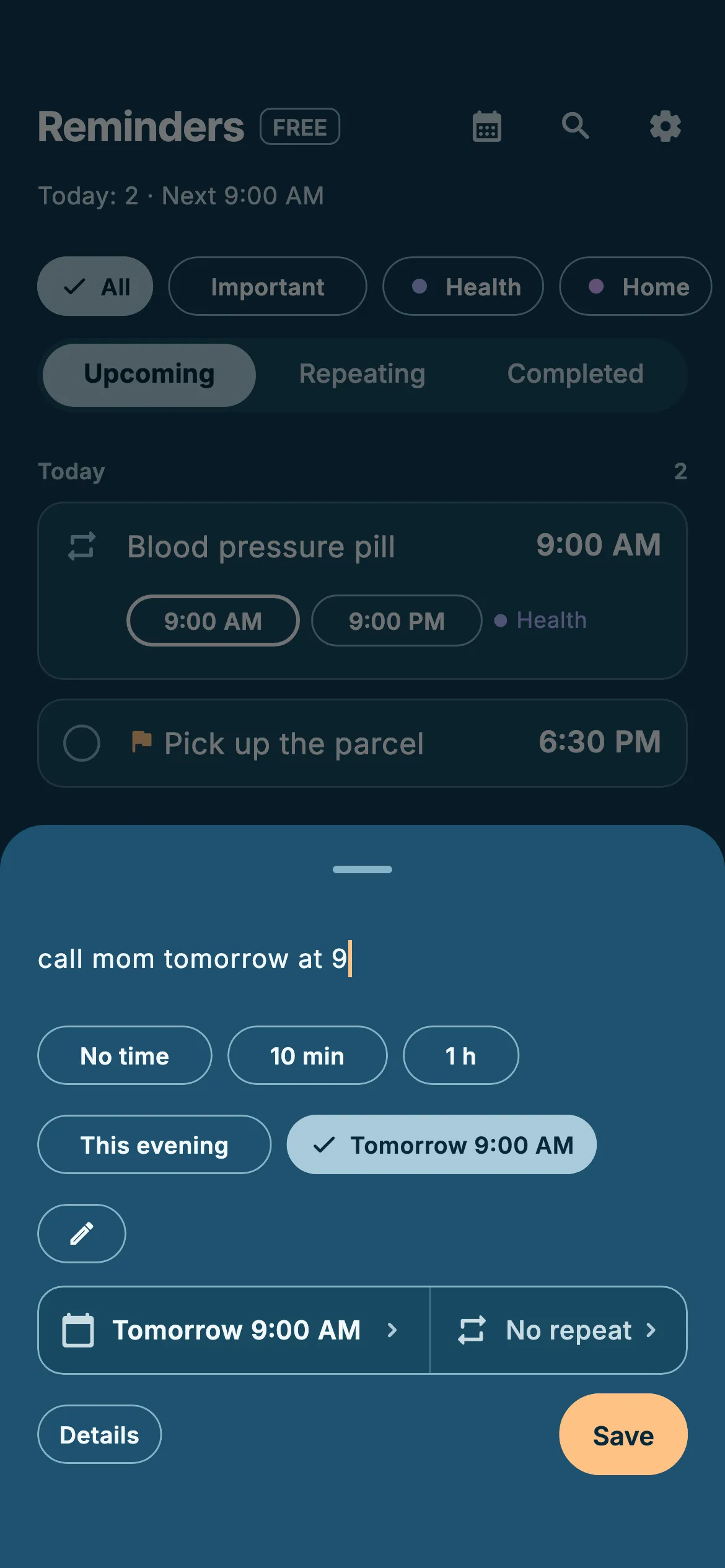
“in 2 hours”, “friday at 6”, “the 5th of every month”. Easy Reminder reads the date, time and repeat from your sentence, on your phone, in 15 languages.
 Easy Reminder Reminder app
Type it the way you would say it: “tomorrow at 9 call mum”, “every monday gym”. The date, time and repeat fill in by themselves. No account, no sign-up, no ads.
Coming soon on App Store
Available on Google Play. The iPhone version is on its way.
“in 2 hours”, “friday at 6”, “the 5th of every month”. Easy Reminder reads the date, time and repeat from your sentence, on your phone, in 15 languages.
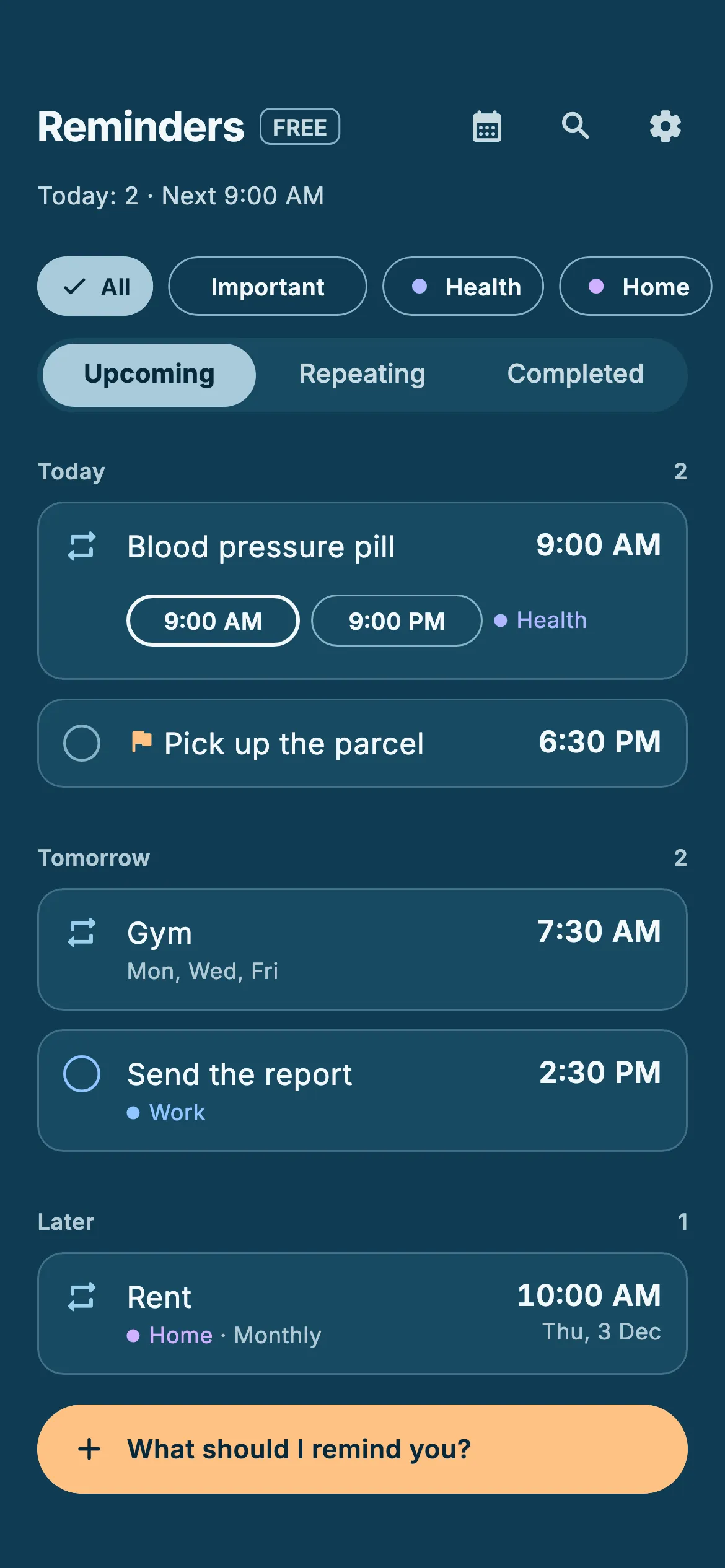
Complete or snooze a reminder right where it appears. No need to open the app, find the item and tick it.
There is no account and no server of ours. Reminders, photos and files live in the app on your phone unless you choose to sync them to your own cloud.
Screenshots
Features
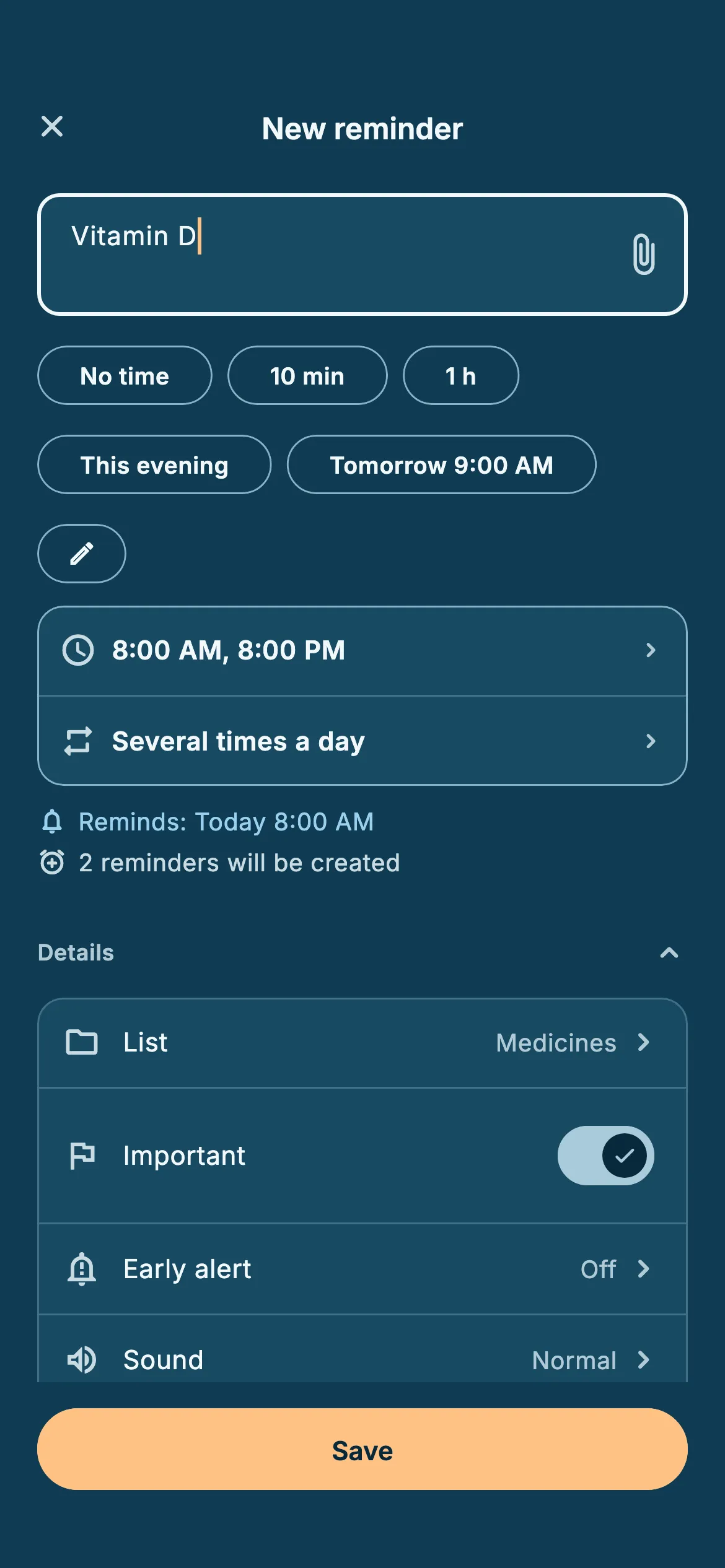
A bar at the bottom of the home screen, time chips such as 10 min, 1 hour, This evening and Tomorrow 09:00, and ready templates for birthdays, medicine, bills, plants and deadlines.
Leave the time empty and it stays as a note: no notification, and it never counts toward the free limit. Add a time only when you need one.
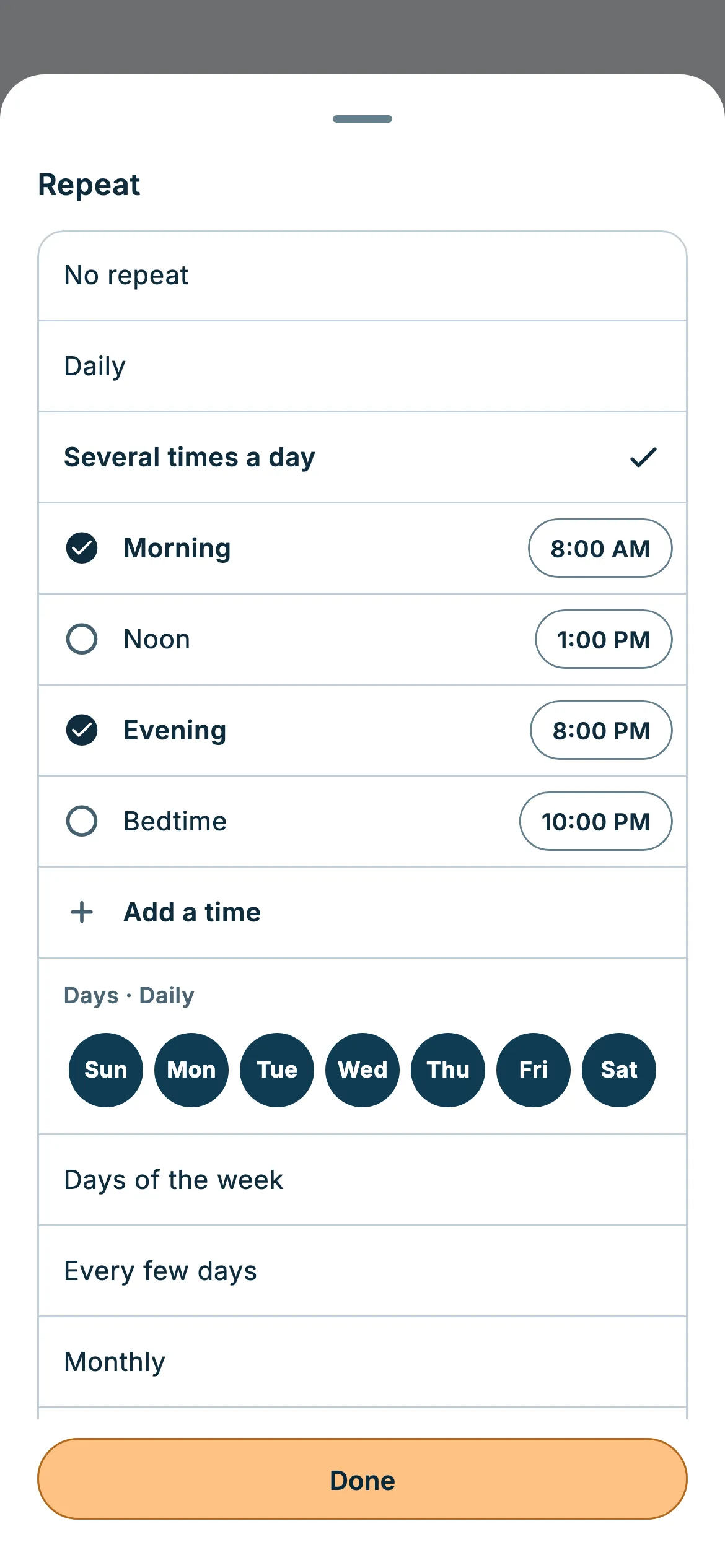
One reminder with as many times as the day needs. It counts once, and each dose can be ticked off on its own.
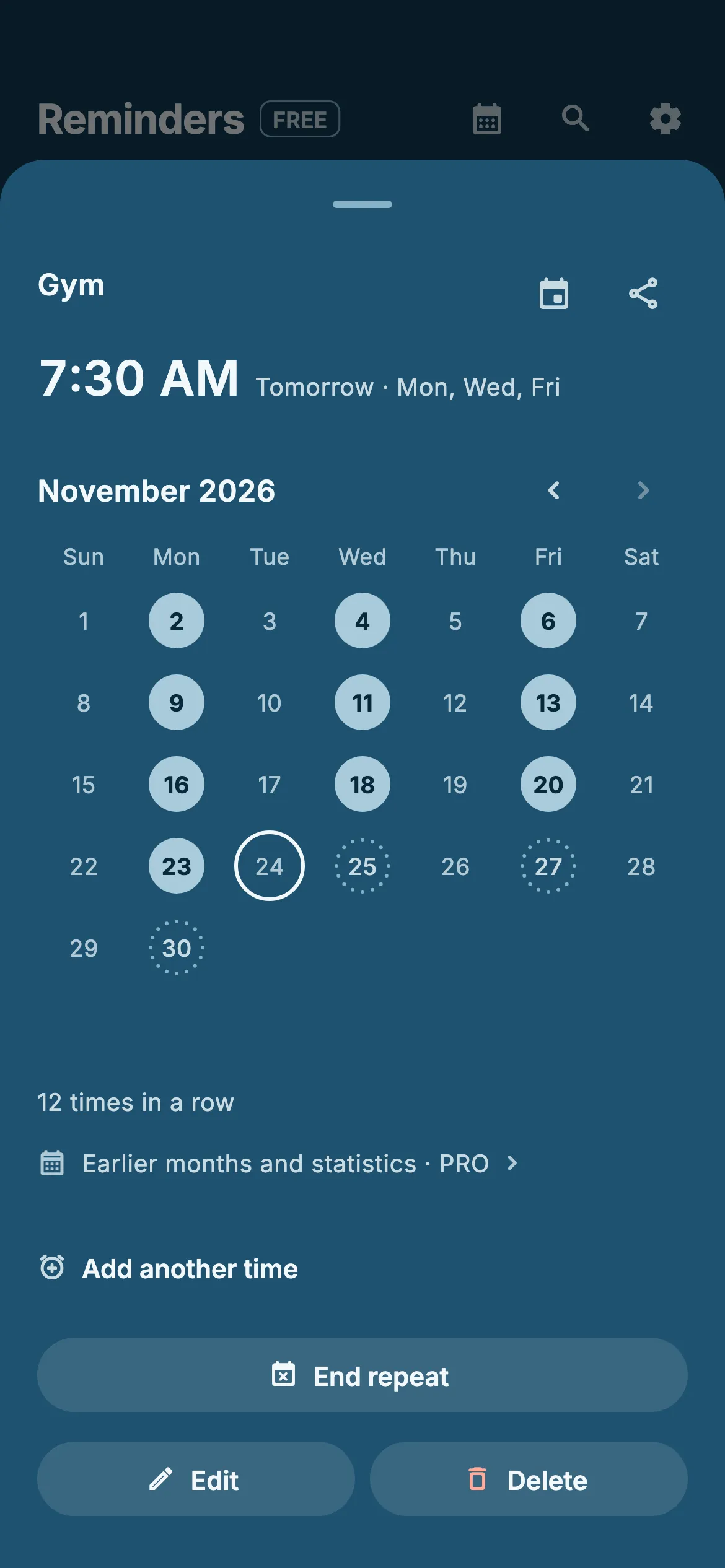
Daily, weekdays, chosen days, every X days, monthly, yearly. Birthdays and anniversaries come back every year by themselves.
Hear about it 15 minutes, an hour or a day before. With PRO, pick any lead time: three days before a bill, a week before a birthday.
One notification is easy to miss. With PRO a persistent reminder returns until you handle it, up to six times.
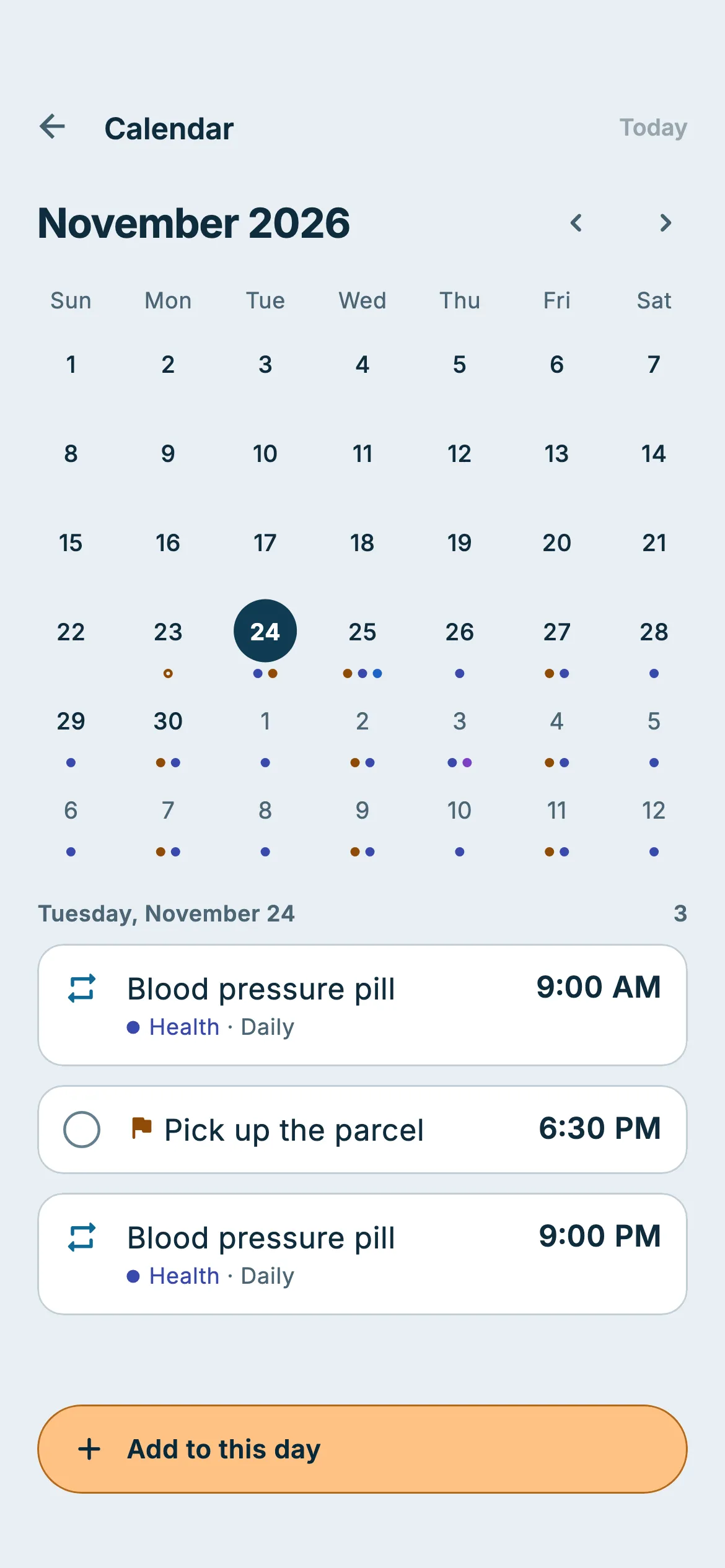
Coloured lists, an Important flag, search across everything and a calendar view of what is coming. “Add to calendar” hands a reminder to your phone’s own calendar.
Attach the prescription, the bill or the ticket to the reminder it belongs to. Attachments stay on your phone.
A completion calendar and a streak for every repeating reminder, so you can see the days you kept it up.
On Android, share a text, a link or a photo from any app and it becomes a reminder.
Export everything to a file and import it on another phone, free. PRO can keep your reminders in your own Google Drive.
Light and dark mode, high-contrast themes, large text support and right-to-left layout for Arabic.
Free and PRO
Everything you need for everyday reminders is free. PRO is for people who lean on the app heavily.
| Free | PRO | |
|---|---|---|
| Active reminders with a time | 10 | Unlimited |
| Notes without a time | Unlimited | Unlimited |
| Early alerts | 15 min, 1 hour, 1 day before | Any lead time |
| Snooze from the notification | 10 minutes | A duration you choose |
| Persistent reminders | — | Come back up to 6 times |
| Backup file (export / import) | Yes | Yes |
| Sync with your own cloud | — | Google Drive on Android |
PRO is an optional subscription or a one-time purchase. The free trial and the prices are shown in the app before any purchase, and you can cancel a subscription at any time in Google Play.
Easy Reminder
No. You install the app and type your first reminder. There is no sign-up, no e-mail address and no password.
Yes. The free version keeps up to 10 active reminders with a time, plus unlimited notes without a time. PRO removes the limit and adds persistent reminders, custom early alerts, custom snooze and cloud sync. Prices and the free trial are shown in the app before you buy anything.
In the app on your phone. If you turn on cloud sync (PRO), a copy is kept in your own Google Drive or iCloud account, in a private area only the app can use. We have no server and cannot see your reminders.
Some Android phones delay apps to save battery. If the app shows “Reminders may be late”, tap “Fix”. You can also open Settings in the app and use the “Battery optimization” row to exempt Easy Reminder, and make sure “Alarms & reminders” is allowed for the app.
Use Settings › Backup › Export reminders to save a backup file, send it to your new phone and import it there. With PRO cloud sync your reminders follow your Google account automatically.
It is in development and not on the App Store yet. This page will carry the link when it is.
Yes, there is a medicine form for several doses a day. Easy Reminder only reminds: it is not a medical device and does not give medical advice. Follow your doctor’s or pharmacist’s instructions.
English, Turkish, Spanish, German, Portuguese, French, Italian, Dutch, Indonesian, Russian, Arabic, Hindi, Chinese, Japanese and Korean, including typing dates in each of them.
Write it, pick a time, and leave the rest to Easy Reminder.
Coming soon on App Store
Easy Reminder is a reminder app. It is not a medical device and does not give medical advice. Always follow the instructions of your doctor or pharmacist.